Especificaciones técnicas

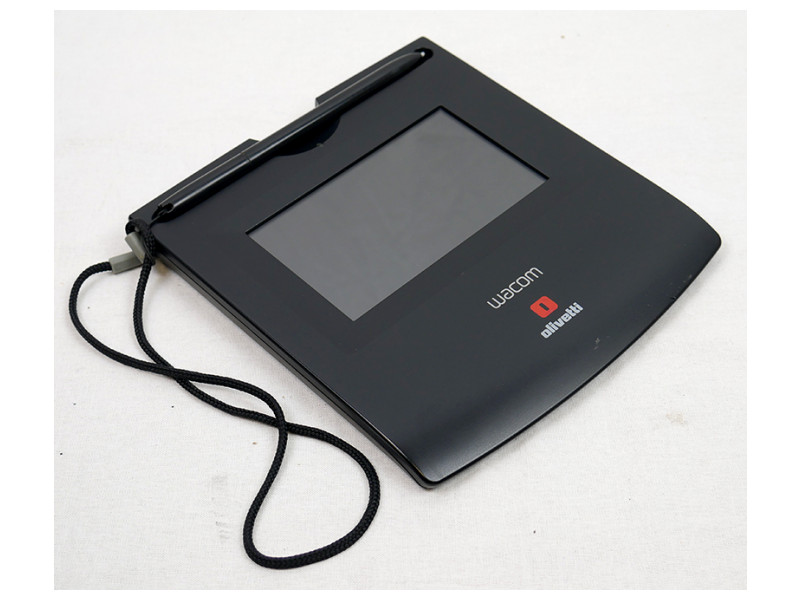
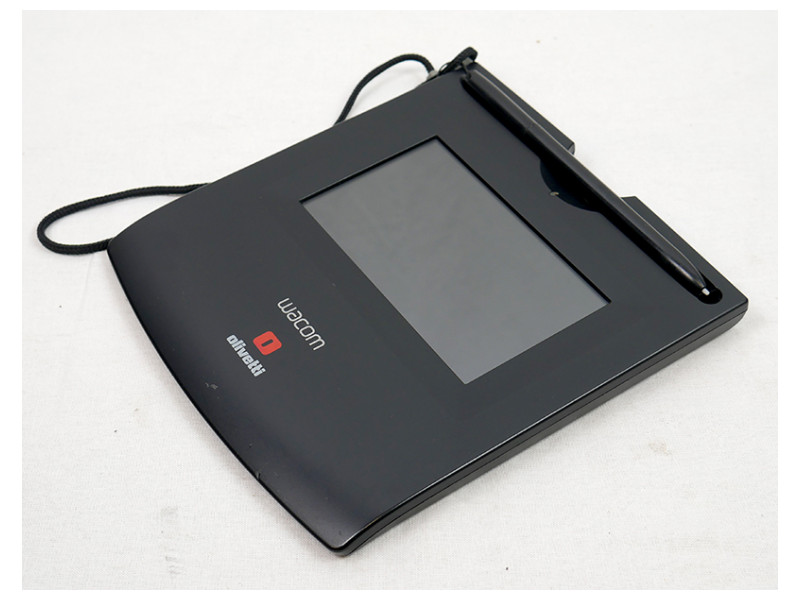
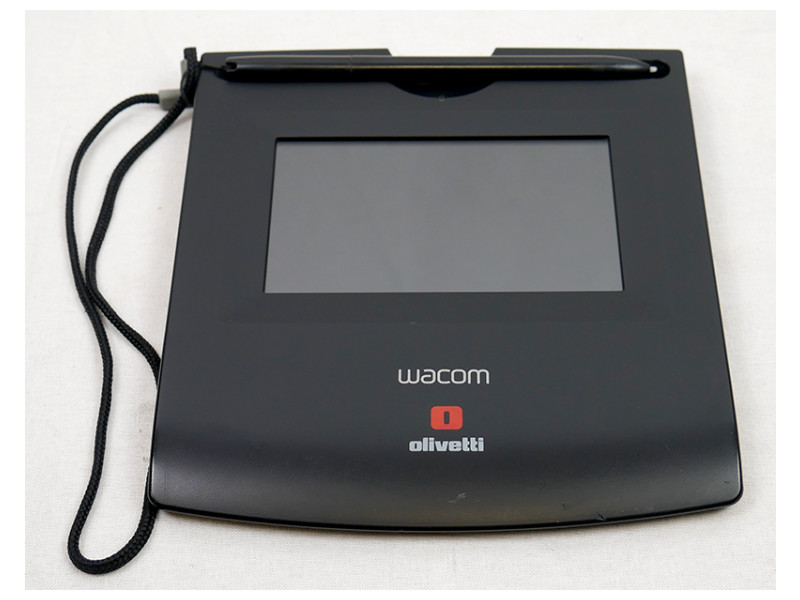
Technical specifications of Wacom STU-520
Dimensions and weight
Dimensions160 x 177 x 16 mm
Weight289 g
Other information
BrandWacom
ModelSTU-520
Technology4.7" color TFT LCD
Resolution800 x 480
Pixel pitch0.135 mm
Brightness168 cd/m²
Contrast ratio600:1
Viewing angle140° vertical / 140° horizontal
Interfaces1 x USB 2.0
OtherPointer pen included. Good exterior condition, may show slight signs of use

Descripción del producto

Why choose the Wacom STU-520 for business?

The refurbished Wacom STU-520 is a professional digital signature tablet designed for corporate environments that require secure, visual and efficient document validation processes. Its 4.7-inch color TFT LCD display enhances user interaction during signature capture, improving clarity and confidence compared to monochrome models.

Key features

  • 4.7-inch color TFT LCD display with 800 x 480 resolution for clear on-screen document visualization.
  • Wide viewing angle (140°) ensuring visibility from different positions at service counters.
  • USB 2.0 connectivity for easy integration into standard business IT environments.
  • Included pointer pen providing a natural and precise signing experience.
  • Compact and slim design suitable for front-desk and customer-facing workstations.

Refurbishment process of the Wacom STU-520

At Digalco, every refurbished tablet undergoes a 15-step professional refurbishment process to ensure reliability, accuracy and long-term performance in business environments.

  1. Device reception and registration.
  2. Initial visual inspection of casing and display.
  3. Professional internal and external cleaning.
  4. Verification of LCD panel color uniformity.
  5. Brightness and contrast testing.
  6. Pointer pen calibration.
  7. Stroke accuracy and latency testing.
  8. USB connectivity verification.
  9. Compatibility testing with Windows and Linux systems.
  10. Stability testing during continuous operation.
  11. Electrical and power consumption checks.
  12. Complete functional inspection.
  13. Final cosmetic review.
  14. Quality validation by Digalco technical team.
  15. Secure professional packaging.

Ideal professional profiles

Financial institutions and insurance companies

Ideal for signing contracts and official documentation with enhanced visual feedback.

Retail and service businesses

Facilitates order confirmations, deliveries and authorizations at customer service counters.

Public administration and professional offices

Supports digital transformation initiatives with clear, user-friendly signature workflows.

Frequently asked questions

Is the pointer pen included?

Yes, the tablet is supplied with an included pointer pen.

What is the cosmetic condition of the device?

The unit is in good exterior condition and may show slight signs of use on the casing, without affecting functionality.

What warranty does Digalco provide?

This product includes a 2-year professional warranty and specialized B2B technical support.

Similar alternatives

Graphics tablet WACOM STU-530

Original price was: 140€.Current price is: 99€. + VAT

Technology:5 ''TFT LCD· Resolution:800 x 480· Pixel Pitch:0.135· Brightness:168 cd / m2· Contrast:600: 1· Vie…

View product

Our refurbishment process

Each device goes through 15 technical checks in our factory in A Coruña, under ISO 9001 and ISO 14001 standards, before being shipped to the customer.

1 Receipt

Receipt of the device and initial verification of the batch and documentation.

2 Traceability

Internal registration, labelling and serial number to ensure traceability of each unit.

3 Visual inspection

Inspection of the chassis, ports, hinges and external components to classify the cosmetic grade.

4 Professional cleaning

Internal and external cleaning adapted to the type of device, using specific products.

5 Board and connections

Check of the motherboard, internal connections and overall system operation.

6 CPU and memory

Processor and RAM tests under load, when applicable to the product.

7 Storage

Check of the SSD, M.2 or hard drive and replacement with a new unit if it does not pass the tests.

8 Graphics

Graphics card and video output tests according to the device configuration.

9 Ports and connectivity

Inspection of ports, slots, wired network and available wireless connectivity.

10 BIOS and firmware

BIOS or firmware check and update to the manufacturer’s latest stable version.

11 Operating system

Installation of an operating system with an official licence when applicable to the model.

12 Security

Application of critical security updates before being put up for sale.

13 Performance

Performance and stability tests according to the type of device and its intended use.

14 Final quality control

Final validation of the device and stability check before approving it for sale.

15 Packaging and shipping

Secure packaging and order preparation for mainland shipping in 24–48 h.

Sobre este equipo

Why choose the Wacom STU-520 for business?

The refurbished Wacom STU-520 is a professional digital signature tablet designed for corporate environments that require secure, visual and efficient document validation processes. Its 4.7-inch color TFT LCD display enhances user interaction during signature capture, improving clarity and confidence compared to monochrome models.

Key features

  • 4.7-inch color TFT LCD display with 800 x 480 resolution for clear on-screen document visualization.
  • Wide viewing angle (140°) ensuring visibility from different positions at service counters.
  • USB 2.0 connectivity for easy integration into standard business IT environments.
  • Included pointer pen providing a natural and precise signing experience.
  • Compact and slim design suitable for front-desk and customer-facing workstations.

Refurbishment process of the Wacom STU-520

At Digalco, every refurbished tablet undergoes a 15-step professional refurbishment process to ensure reliability, accuracy and long-term performance in business environments.

  1. Device reception and registration.
  2. Initial visual inspection of casing and display.
  3. Professional internal and external cleaning.
  4. Verification of LCD panel color uniformity.
  5. Brightness and contrast testing.
  6. Pointer pen calibration.
  7. Stroke accuracy and latency testing.
  8. USB connectivity verification.
  9. Compatibility testing with Windows and Linux systems.
  10. Stability testing during continuous operation.
  11. Electrical and power consumption checks.
  12. Complete functional inspection.
  13. Final cosmetic review.
  14. Quality validation by Digalco technical team.
  15. Secure professional packaging.

Ideal professional profiles

Financial institutions and insurance companies

Ideal for signing contracts and official documentation with enhanced visual feedback.

Retail and service businesses

Facilitates order confirmations, deliveries and authorizations at customer service counters.

Public administration and professional offices

Supports digital transformation initiatives with clear, user-friendly signature workflows.

Frequently asked questions

Is the pointer pen included?

Yes, the tablet is supplied with an included pointer pen.

What is the cosmetic condition of the device?

The unit is in good exterior condition and may show slight signs of use on the casing, without affecting functionality.

What warranty does Digalco provide?

This product includes a 2-year professional warranty and specialized B2B technical support.