Refurbished Scanners
escaners
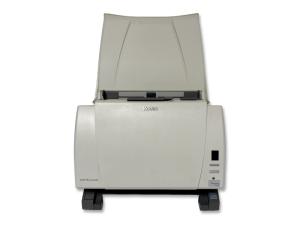
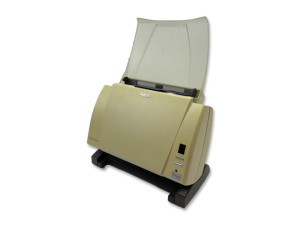
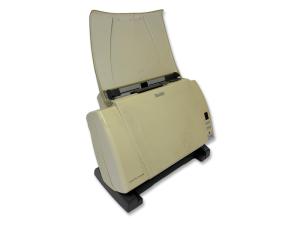
Refurbished scanners for digitising documents, streamlining document management and reducing paper use in offices and professional environments. Digalco offers fully tested document scanners backed by a warranty. The essential tool for organising, archiving and sharing documents efficiently.
-
Dual CCD Color - A4 - 600x600 dpi - 45 ppm - Duplex - ADF 75 sheets - USB 2.0 - Compatible Windows 10 and Windows 11Unit price94€ + VAT
-
Dual CCD Color - A4 - 600x600 dpi - 45 ppm - Duplex - ADF 75 sheets - USB 2.0 - Compatible Windows 10 and Windows 11Unit price147€132€ + VAT
-
Pack of 5 Units:Dual CCD Color - A4 - 600x600 dpi - 45 ppm - Duplex - ADF 75 sheets - USB 2.0 - Compatible Windows 10 and Windows 11Unit price300€ + VAT
-
Technology: Color flatbed document scanner - Image sensor: Color CCD - Scanning speed: up to 60 ppm - Resolution: up to 600 dpi - Connectivity: USB 3.0/2.0/1.1 - Built-in duplex - 80-sheet automatic feeder.Unit price437€ + VAT
-
Technology: Color document scanner - Image sensor: Color CCD - Scan speed: up to 80 ppm - Resolution: up to 600 dpi - Connectivity: USB 3.0/2.0/101 - Built-in duplex - 80-sheet automatic feeder.Unit price402€ + VAT
-
Technology: Color document scanner - Image sensor: Color CCD - Scan speed: up to 60 ppm - Resolution: up to 600 dpi - Connectivity: USB 3.0/2.0/1.1 - Built-in duplex - 80-sheet automatic feeder.Unit price345€ + VAT
-
Technology: Flatbed Scanner - Resolution: up to 1200 dpi - Gray Scale: 256 levels - Connectivity: Parallel Port - Scanning area: 210 x 297 mm.Unit price82€ + VAT
-
Dual CCD Color - A4 - 600x600 dpi - 45 ppm - Duplex - ADF 75 sheets - USB 2.0 - Compatible Windows 10 and Windows 11Unit price95€48€ + VAT
-
Technology: Document Color Scanner - Image Sensor Type: Color CCD - Scanning Speed: Up to 30 ppm Color, 30 ppm Grayscale - Resolution: Up to 600 dpi - Connectivity: USB 2.0 -Duplex: Built-in Two-Sided Scanning - ADF Capacity: 50 SheetUnit price186€ + VAT
How to Choose a Refurbished Scanner
A scanner is essential for digitising documents and reducing paper use in any office. When choosing a refurbished scanner, start by considering the volume of documents you need to scan and the type of document management required.
- Volume: desktop scanners for occasional use or automatic document feeders for larger workloads.
- Speed and resolution: match them to the document type and pace of work.
- Connectivity: check USB, network and other options compatible with your system.
- Condition: review the product page to confirm functionality.
A well-chosen refurbished scanner streamlines document management and helps organise and share information with a more affordable investment.
Buying questions about refurbished scanners
Can I mix refurbished scanners with existing equipment?
Usually yes, but check technical alignment first. Processor level, connectors, operating system, mounting, drivers or peripheral compatibility may affect how smoothly the product fits in. For refurbished scanners, confirm ADF capacity, speed, resolution, duplex scanning, drivers and document type before ordering.
Can refurbished scanners help reduce IT purchasing costs?
Yes, when the specification is chosen carefully. The aim is not just to spend less, but to buy equipment that performs the required task without unnecessary excess. For refurbished scanners, confirm ADF capacity, speed, resolution, duplex scanning, drivers and document type before ordering.
How can refurbished scanners fit into an existing IT fleet?
They fit best when standards are clear: operating system, connectors, accessories, support process and expected performance. Matching those points avoids creating an awkward exception for the IT team. For refurbished scanners, confirm ADF capacity, speed, resolution, duplex scanning, drivers and document type before ordering.